WordPress plugins
Available on WordPress.org
CheckShop for Jortt
Send WooCommerce orders to Jortt automatically: sales invoices, customers, payments, credit notes and VAT rates.
Pro from € 99 per year, excl. VAT
What it does
CheckShop for Jortt connects your WooCommerce shop to Jortt. Every order becomes a sales invoice in Jortt, without copying anything by hand. The plugin talks to the official Jortt API directly from your own site: there is no server in between, and no order data is sent to us.
Requirements: WordPress 6.2 or later, PHP 7.4 or later, WooCommerce, and a Jortt subscription that includes API access.
Included in the free plugin
Automatic invoices
An order that reaches the status you choose, such as Processing or Completed, becomes a sales invoice in Jortt.
Customer sync
The customer is looked up by email address in Jortt and created or updated.
Payments
Paid orders are invoiced as already paid. When an order is paid later, the payment is registered in Jortt from the payment account you choose.
Credit notes and cancellations
A fully refunded order gets a credit invoice. The unpaid invoice of a cancelled or failed order is credited.
VAT rates
Each line gets the VAT percentage of the WooCommerce tax rate that was applied, with an optional override per tax rate.
Sync log, retries and manual sync
A log of everything that was sent, hourly retries for missed orders from the last seven days, a button per order and a bulk action.
All of this is free, with no limit on the number of orders.
Free, Pro and Agency
Pro and Agency are an add-on on top of the free plugin. The free plugin works fully without it.
| Feature | Free€ 0 | Pro€ 99per year | Agency€ 149per year |
|---|---|---|---|
| Everything in the free plugin | |||
| No limit on the number of orders | |||
| EU VAT: VAT and Chamber of Commerce number fields at checkout, VIES validation and reverse charge | |||
| VAT rate per product category | |||
| Revenue account per payment method and a separate account for shipping costs | |||
| Invoice PDF in My Account and as an attachment to WooCommerce emails | |||
| CSV export of the sync log | |||
| Email alert when an order could not be sent to Jortt | |||
| Customer notes on the order added to the Jortt invoice | |||
| REST API | |||
| WP-CLI commands | |||
| WordPress multisite | |||
| Sites per license | No license needed | 1 site | Unlimited |
| Free on WordPress.org | Buy Pro | Buy Agency |
Prices are per year and exclude VAT.
How it works
Step 1
Install the free plugin
Install CheckShop for Jortt from WordPress.org next to WooCommerce and activate it.
Step 2
Connect Jortt
In Jortt, create an own API connection under Settings > Integrations. Paste the Client ID and Client Secret into the setup wizard under WooCommerce > Jortt.
Step 3
Choose your revenue account
Pick the revenue account. From then on, new orders are sent to Jortt.
Demo
Screenshots of the plugin in the WordPress admin. The best demo is the free plugin itself: it is the complete sync, not a trial.
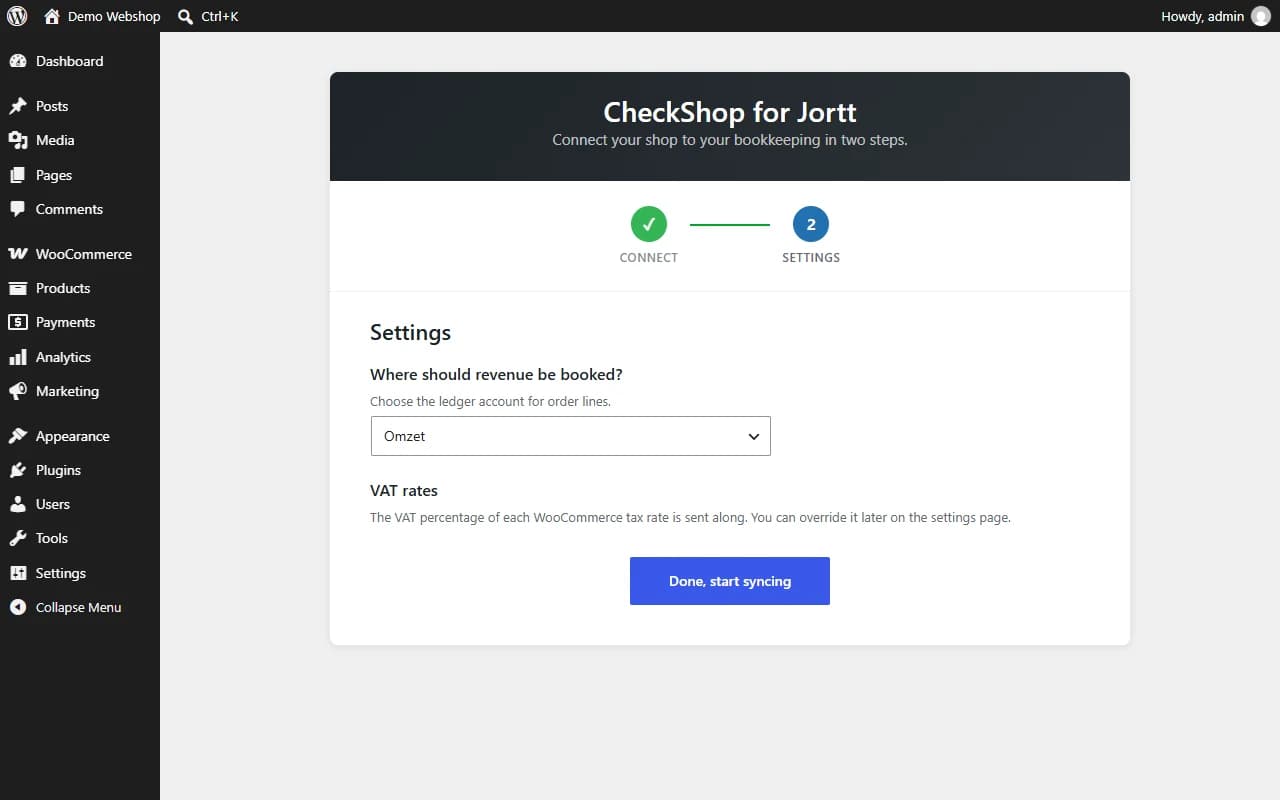
Setup wizard: connect to Jortt in two steps 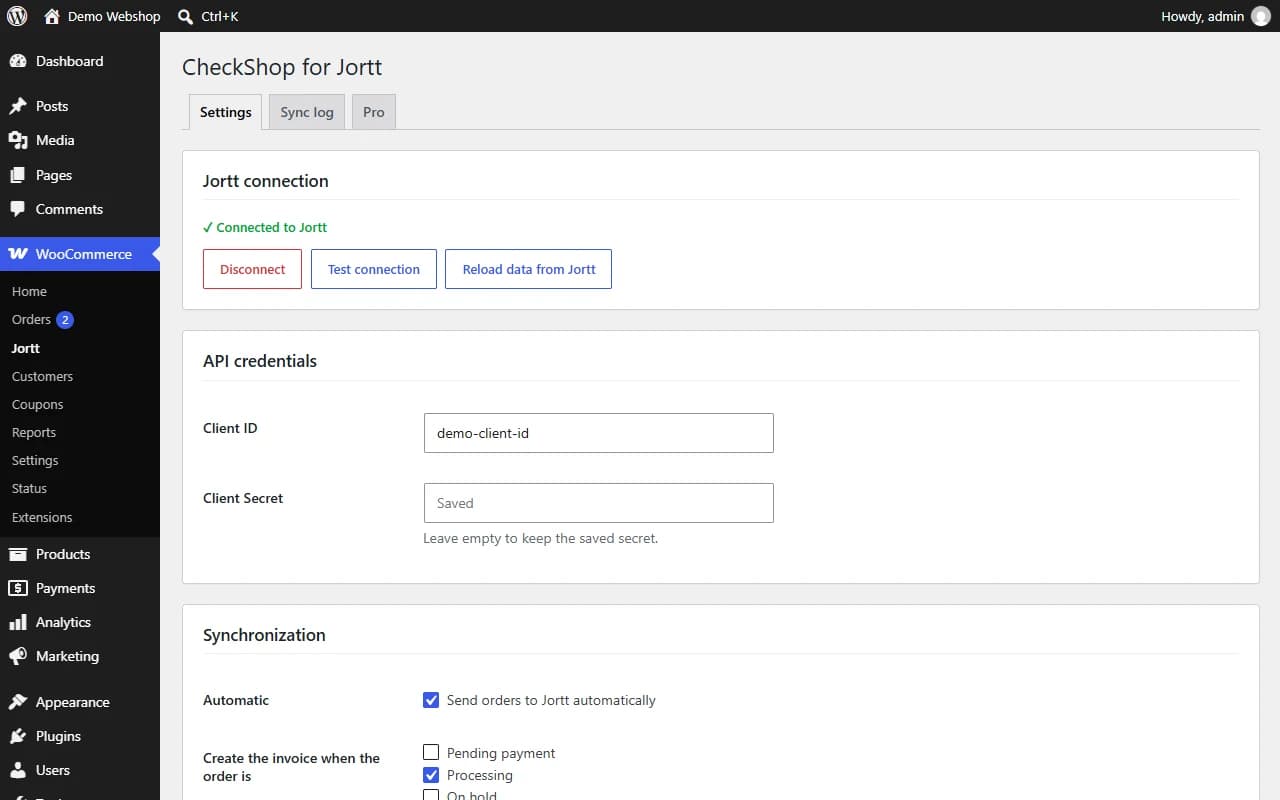
Settings: Jortt connection, API credentials and synchronization options 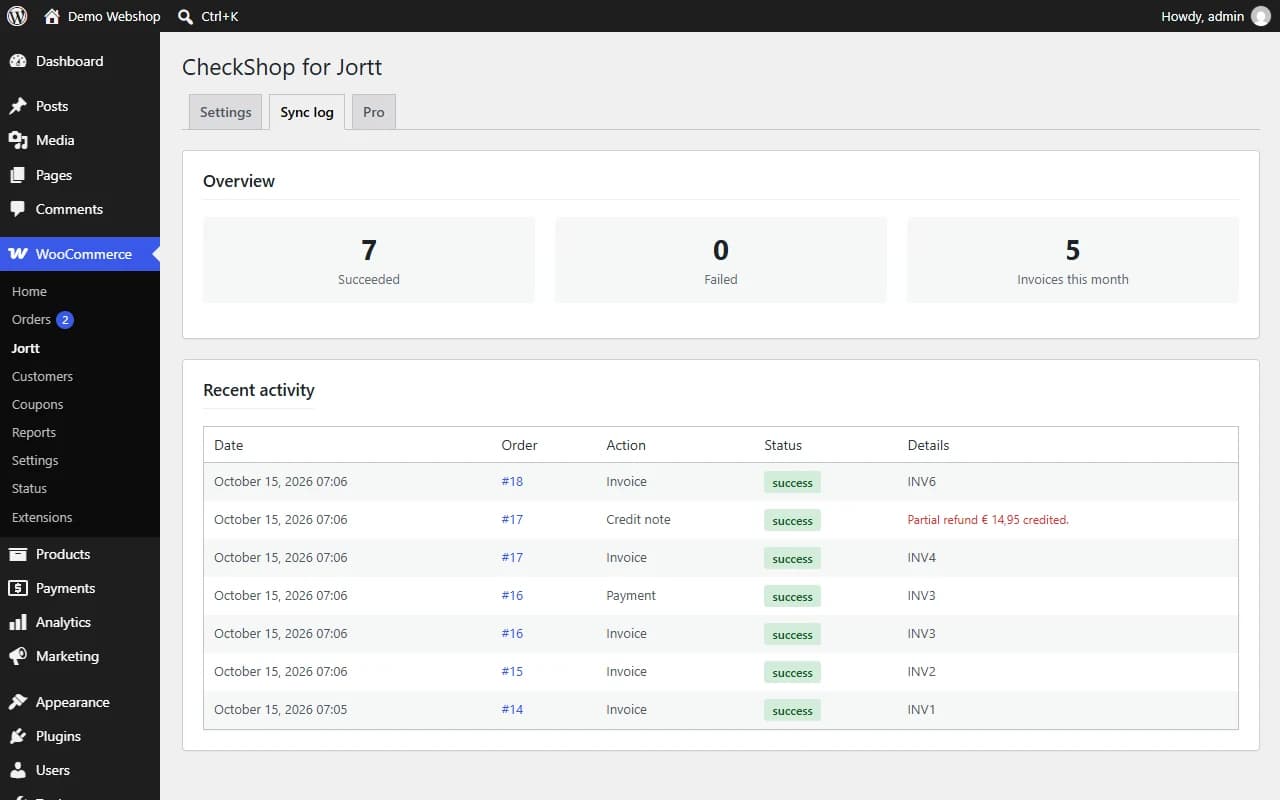
Sync log with statistics 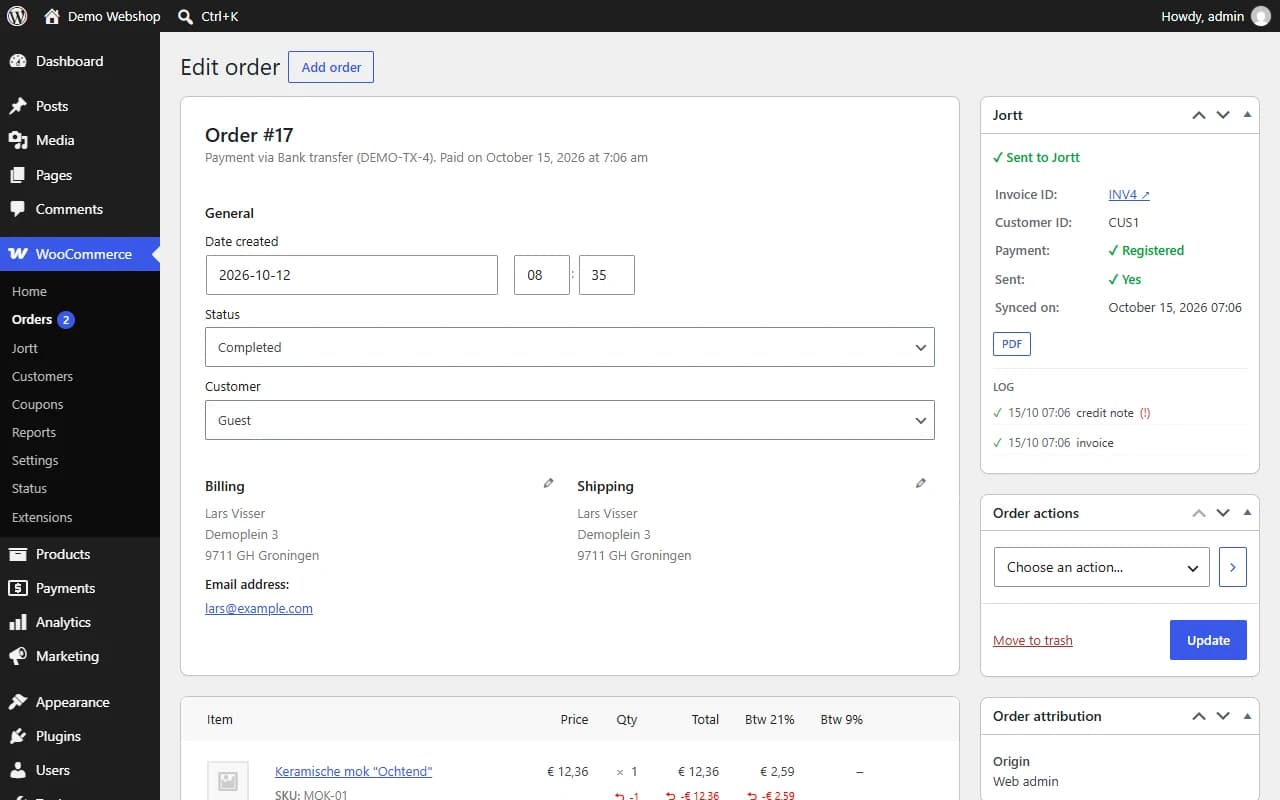
Jortt box on the order screen with status and log 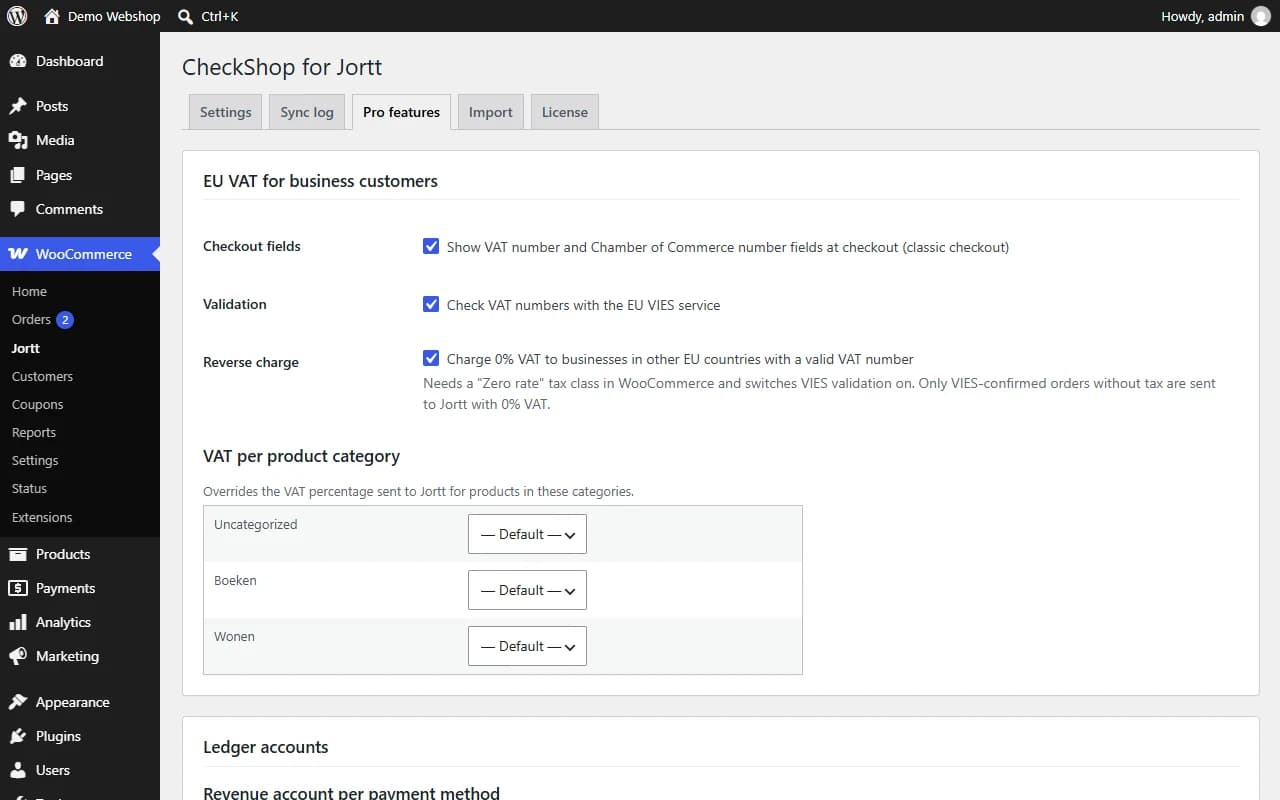
Pro add-on: EU VAT fields, VIES validation, reverse charge and VAT per product category
Frequently asked questions
Do I need a Jortt account?
Yes. You need a Jortt subscription that includes API access.
Do I need Pro?
No. Every feature of the free plugin is free and has no limit on the number of orders. Pro is an optional add-on for EU VAT, extra ledger mapping, PDFs for customers and the other features in the table above.
Are existing orders sent to Jortt?
Only orders that change to one of the selected statuses after setup, plus missed orders from the last seven days. Older orders can be sent with the "Send to Jortt" bulk action or the button on the order screen.
What happens on a refund?
When an order is fully refunded, Jortt creates a credit invoice for it. The Jortt API can only credit a whole invoice, so for a partial refund the plugin logs a message and you create the credit note in Jortt yourself.
Why are my invoices drafts?
Invoices stay drafts unless "Let Jortt send the invoice" is enabled. Jortt can only send invoices when your account is complete (company details, bank account and a confirmed email address). The settings page tells you when something is missing.
Are amounts sent including or excluding VAT?
By default the plugin follows WooCommerce: if your prices are entered including tax, line amounts are sent including VAT, otherwise excluding VAT. You can force either option in the settings.
Where does my data go?
Straight from your site to the Jortt API, after you enter your API credentials. No data is sent to the plugin author. The Pro add-on additionally checks its license key once a day with twilper.com (key, site domain and plugin version) and, only when VIES validation or reverse charge is enabled, checks VAT numbers with the European Commission's VIES service.
Does it work with HPOS and the block checkout?
Yes.
I used version 1.0.0 (twilper-jortt-woocommerce). How do I upgrade?
Deactivate the old plugin, then install and activate this one. Settings, tokens and the link between orders and Jortt invoices are reused. Do not click Delete on the old plugin: its uninstaller removes those shared settings. Leave it deactivated, or remove its folder by FTP.
Another question? Contact us
Jortt is a trademark of its owner. CheckShop is an independent developer and is not affiliated with or endorsed by Jortt.